

Purchase Orders
Raise a purchase order to a supplier, approve it, and receive the delivery into stock.
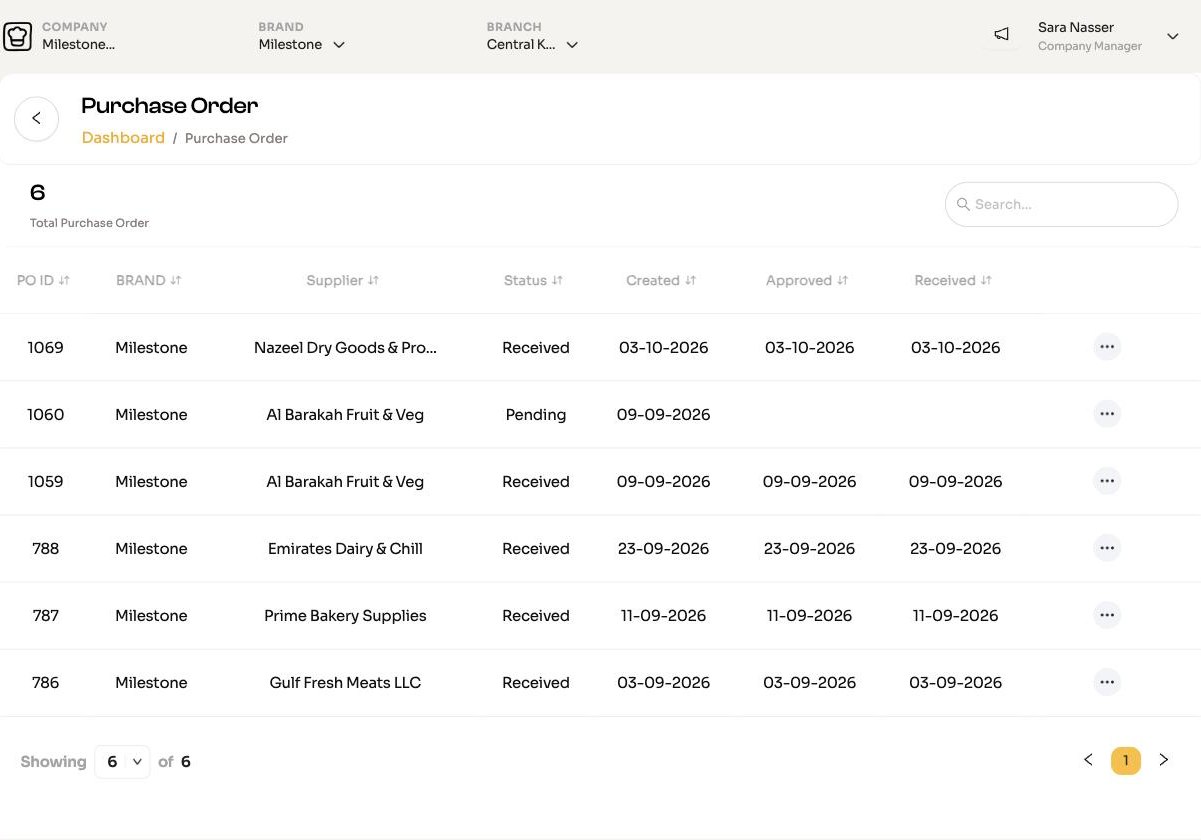
A purchase order (PO) goes Pending, then Approved (or Declined), then Received. Stock is added only when it is received.
Who can do what
Each step has its own permission: Create PO, Approve PO, Receive PO and Delete Purchase Order. Your Company Manager sets them in Users.
Raise a purchase order
Start
Open Inventory Manager > Purchase Orders and click Add New. You need at least one branch first.
Choose who it is for and the supplier
Company Managers choose whether the order is for a Brand or a Branch. Then pick the Supplier. Its ingredients load into the table.
Enter quantities
Enter the Quantity for each item you want. Remove lines you do not need. The item cost comes from the supplier price; if you change it, tick New default cost to use the new price from now on.
Save
Click Continue. The order is saved as Pending.
You can also generate purchase orders straight from a submitted requisition.
Approve or decline
On the list, Pending orders show Approve and Decline icons for people with the Approve PO permission. You can edit a Pending order before approving it.
Receive a delivery
When the goods arrive, click Receive on the approved order.
- For each item, enter what actually arrived under Received.
- If the price on the delivery note is different, enter it and choose Accept or Reject. Tick Set default cost to keep the new price.
- Optionally attach a photo or PDF of the delivery note.
- Click Receive.
Stock goes up by what was received, at the received price. Anything short or rejected is added to your next requisition automatically, so it gets re-ordered.
Chefs can also receive deliveries from the chef app. See Kitchen actions.
Print, view and delete
The row menu has View and Print, and Edit while Pending. Deleting a PO removes it and the stock it created from active inventory; an archived copy is kept for audit. It cannot be undone.
Connected to Zoho?
If your company uses the Zoho integration, the order is also created in Zoho, and receiving raises the bill there.