

Inventory Manager
Production Plan
Plan batches of sub recipes and dishes, check you have the stock, and run production to update inventory.
A production plan is a set of batches you make, such as the day's sauces and doughs. Running it uses up the ingredients and adds what you made to stock.
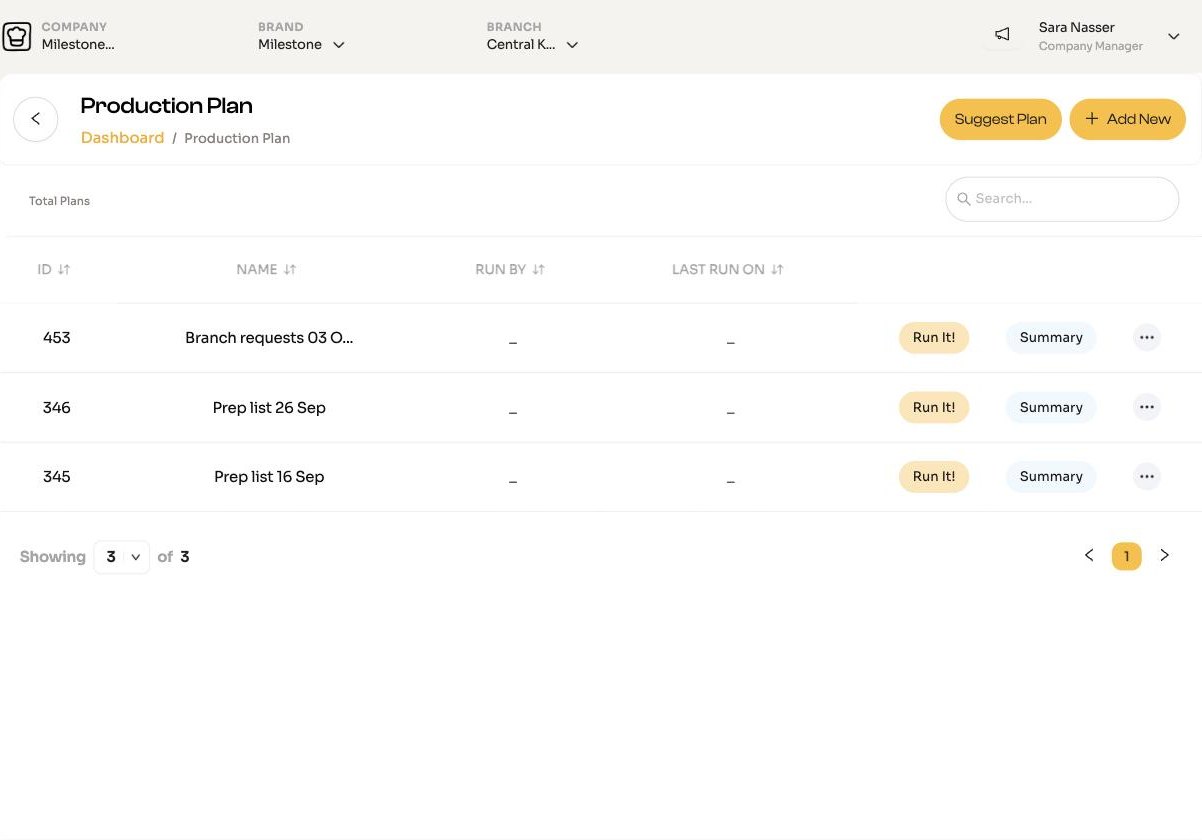
Create a plan
- Open Inventory Manager > Production Plan and click Add New.
- Enter a Production Name.
- Choose Recipes or Sub Recipes, search and add each item with its quantity.
- Click Continue.
Not sure what to make? Suggest Plan proposes sub recipes to produce, split into those with no dependencies and those that depend on others.
Check stock before you start
Click Summary on the plan. The Order List shows what each ingredient needs against what you have. Turn on Show only short items to see what is missing.
Run it
- Click Run It! on the plan.
- Click Finish Plan, then Confirm & Update Inventory.
ChefAdmin:
- Takes the ingredients out of stock.
- Adds the sub recipes you made, at their net yield after waste.
- Adds any dishes you made.
- Records the production waste.
It will refuse if there is not enough stock, or if a sub recipe it needs has no stock or cost yet.
Who can do it
Company Managers, and Branch Managers at a central kitchen, can create and run plans.